Account creation
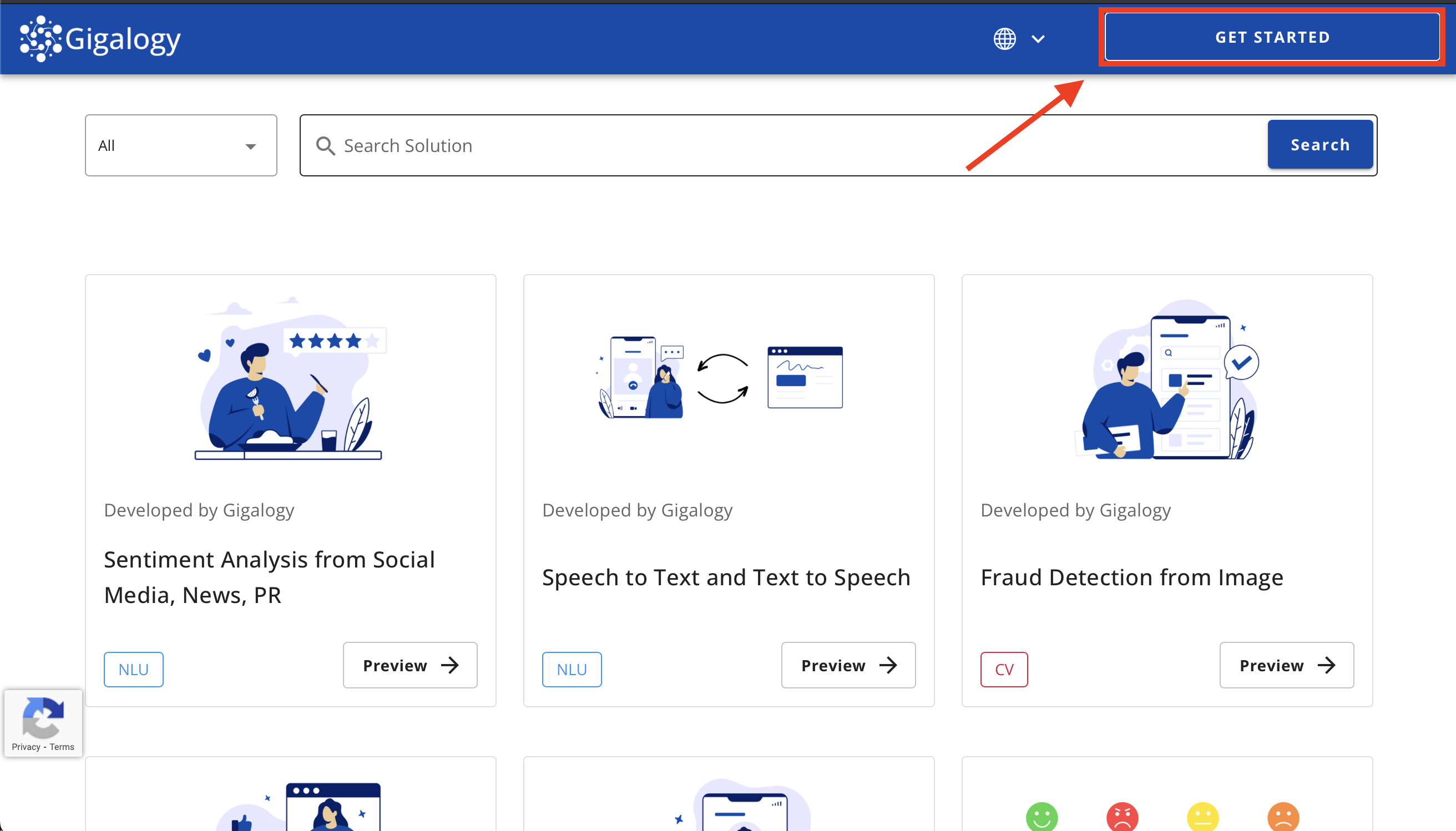
To create an account on the Gigalogy AI platform (GAIP), first, from your web browser, go to platform.gigalogy.com and click the GET STARTED button on the top right
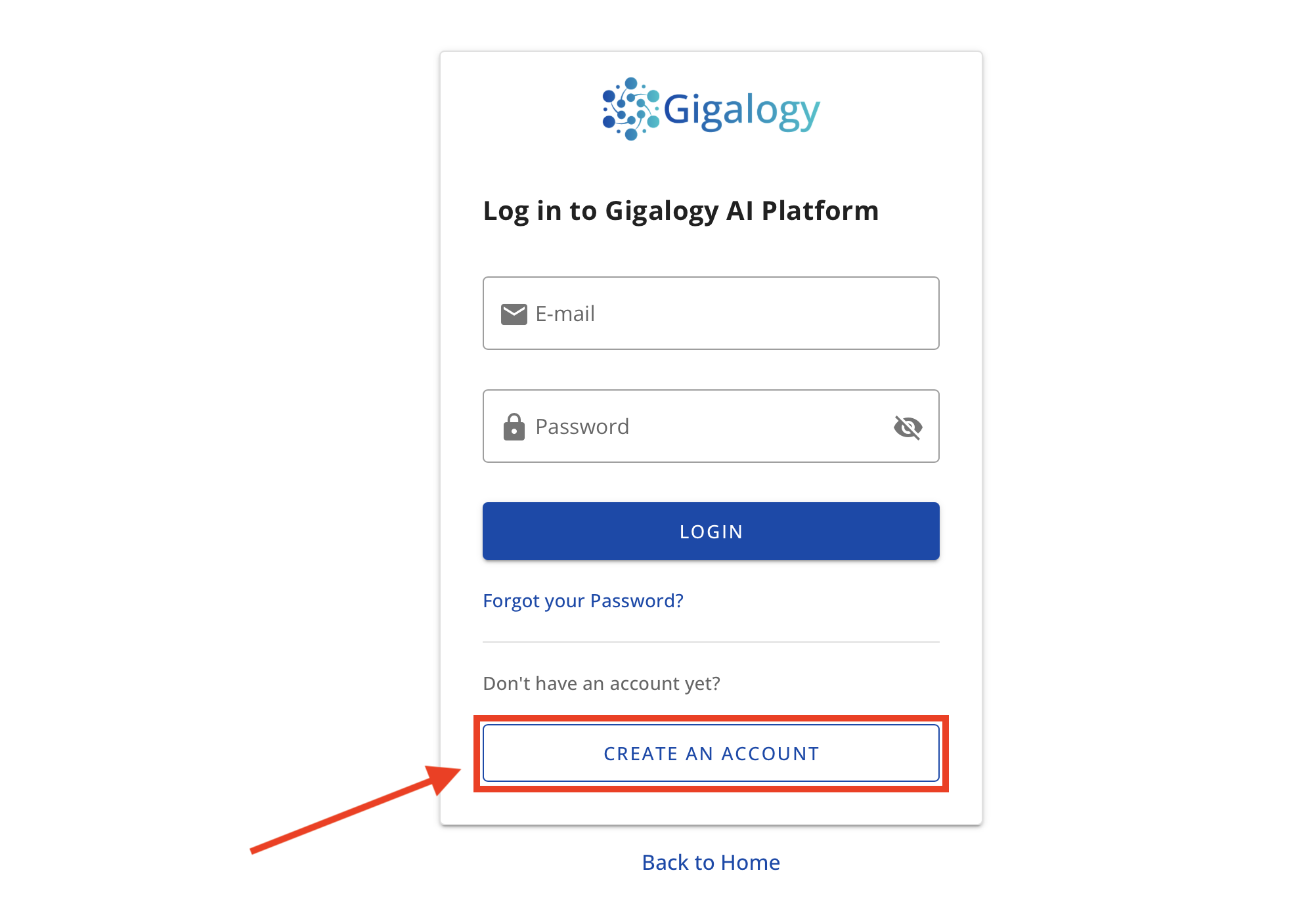
On the next screen, click on CREATE AN ACCOUNT
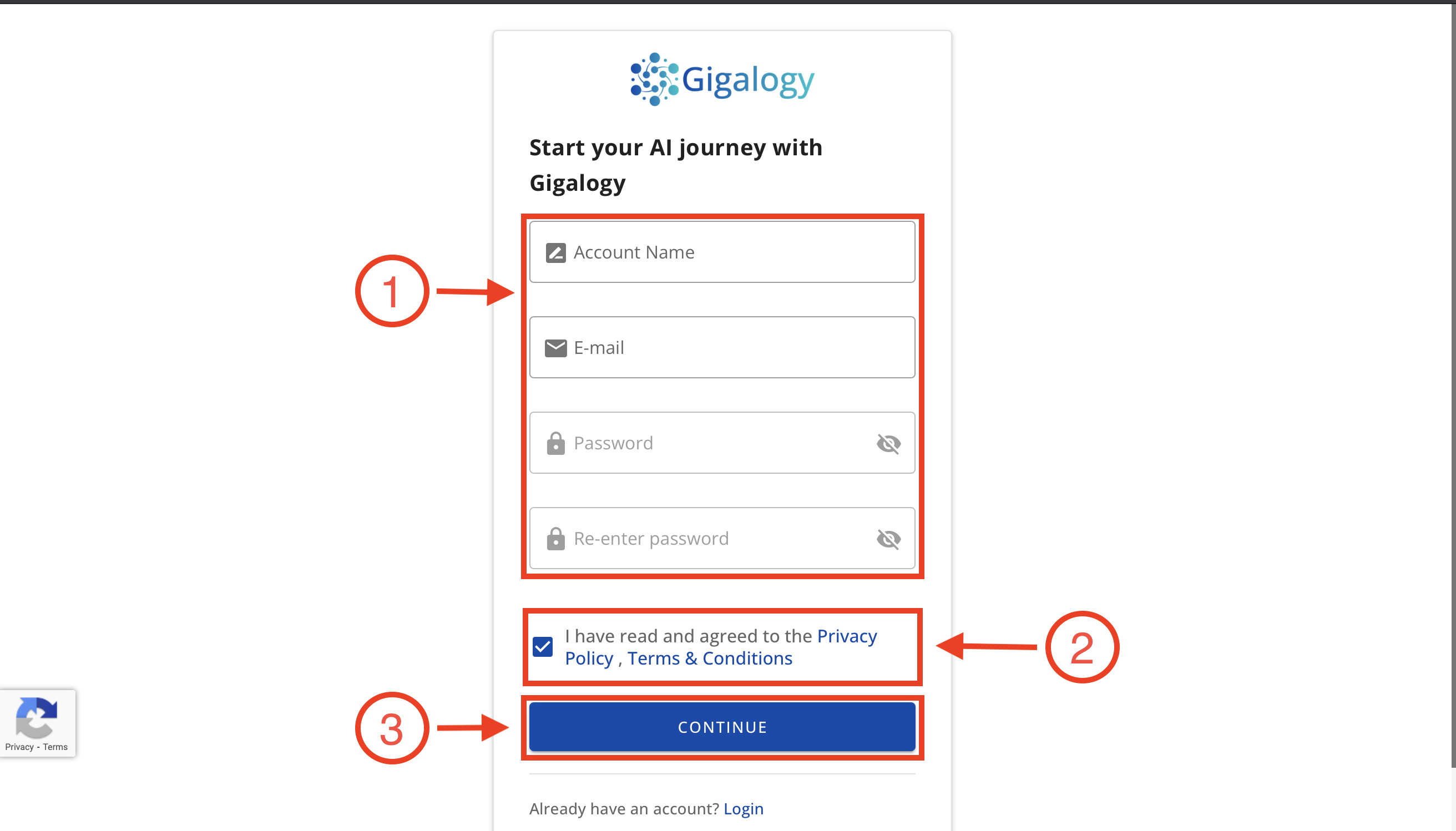
Next, you will be asked to enter the account name, email address, and set a password.
Note: Account name cannot consist of numbers only; it must be alphanumeric or contain letters only.
You will also find links to the Privacy Policy and Terms and Conditions on this page. Once finished, click the Continue button.
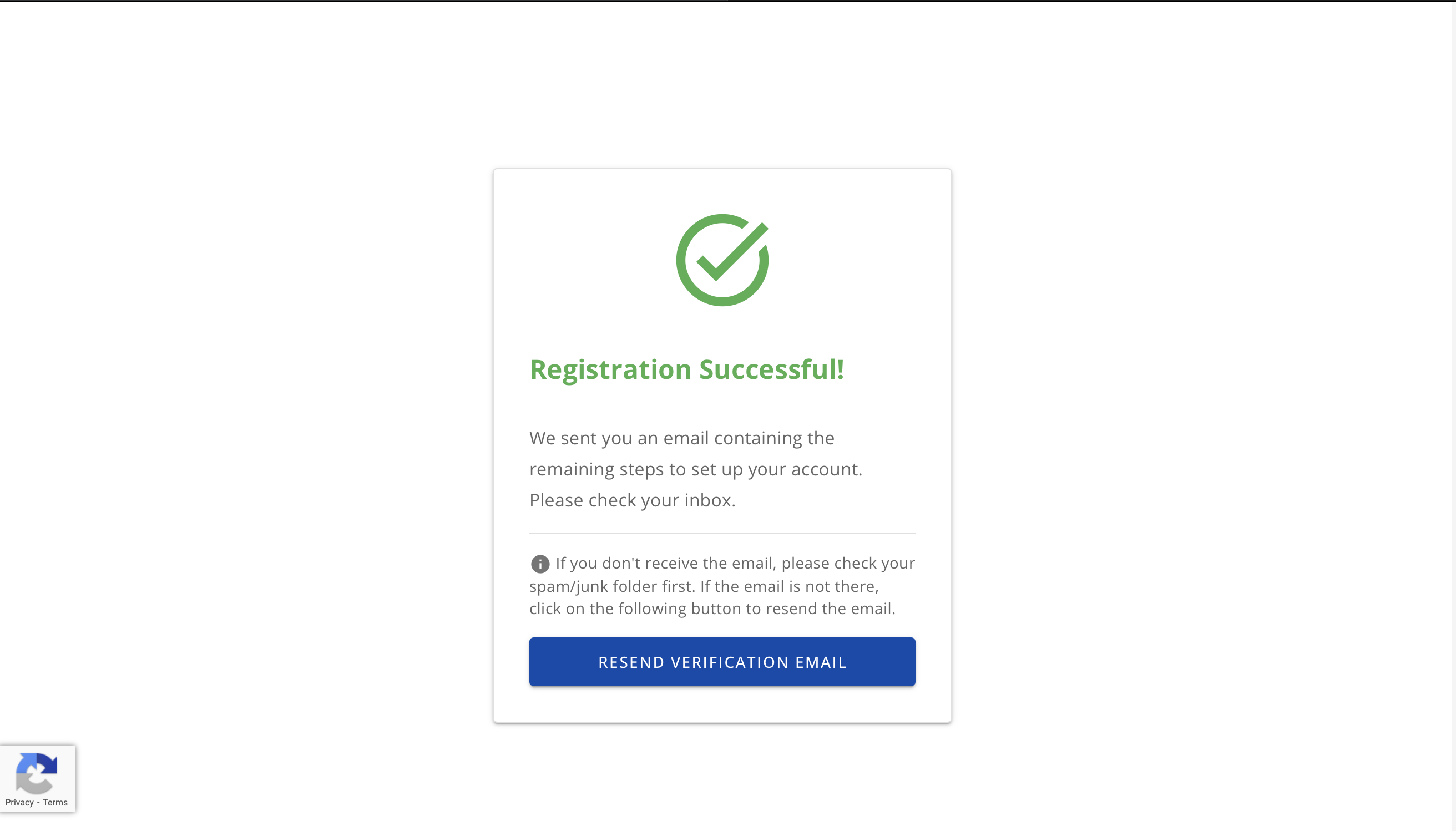
You will then see a Registration Successful screen,
indicating that verification mail was sent to the mentioned E-mail address in the previous step.
Check the Email for account verification and click the Activate your account button to complete the account verification.
Note: If you don't see the email, check your spam folder or contact support at info@gigalogy.com.
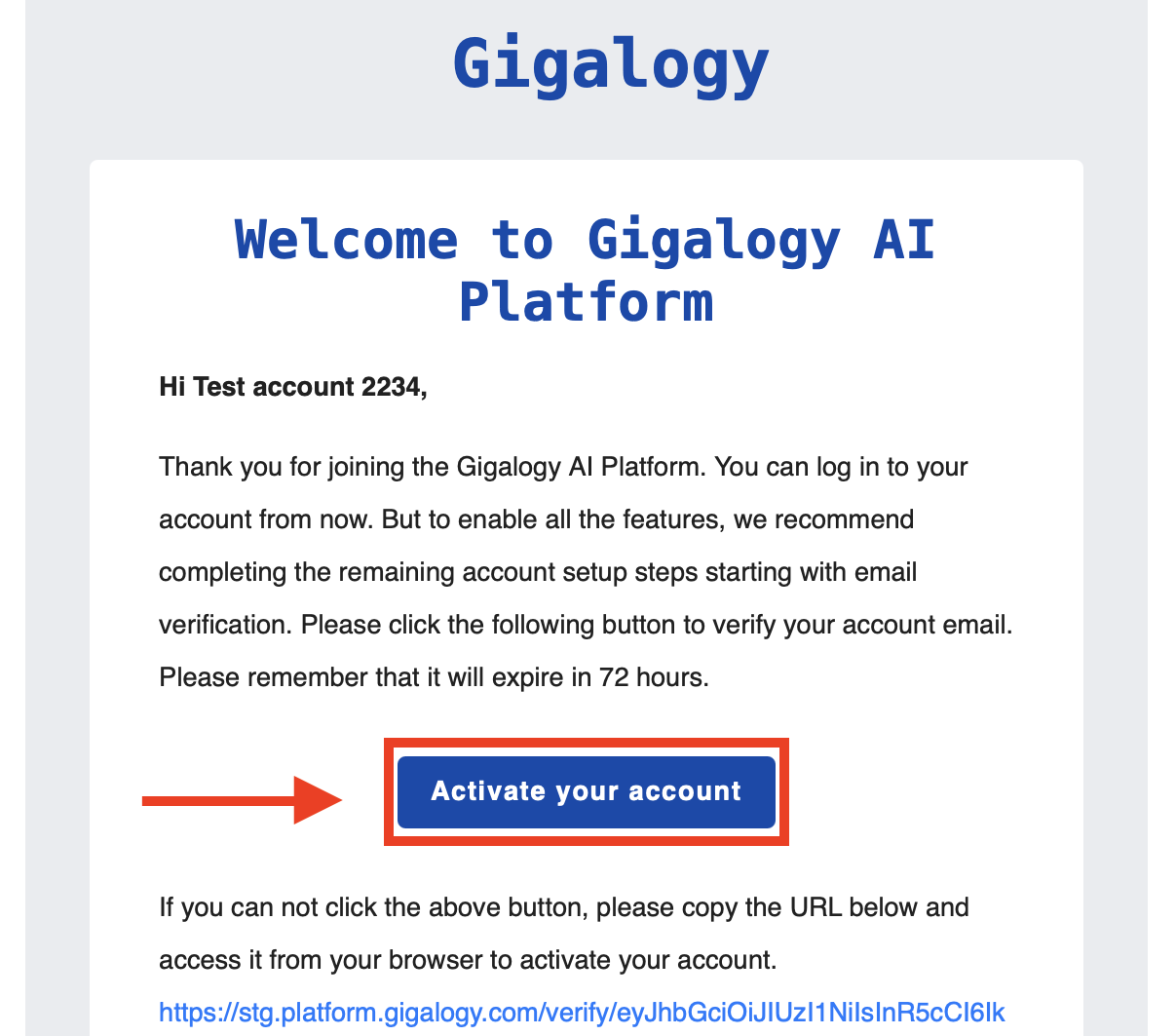
Once you click on the button in your Email,
you will be brought back to the platform to complete the account registration.
Fill in your first and last name in the Basic information step.
To proceed, click Continue
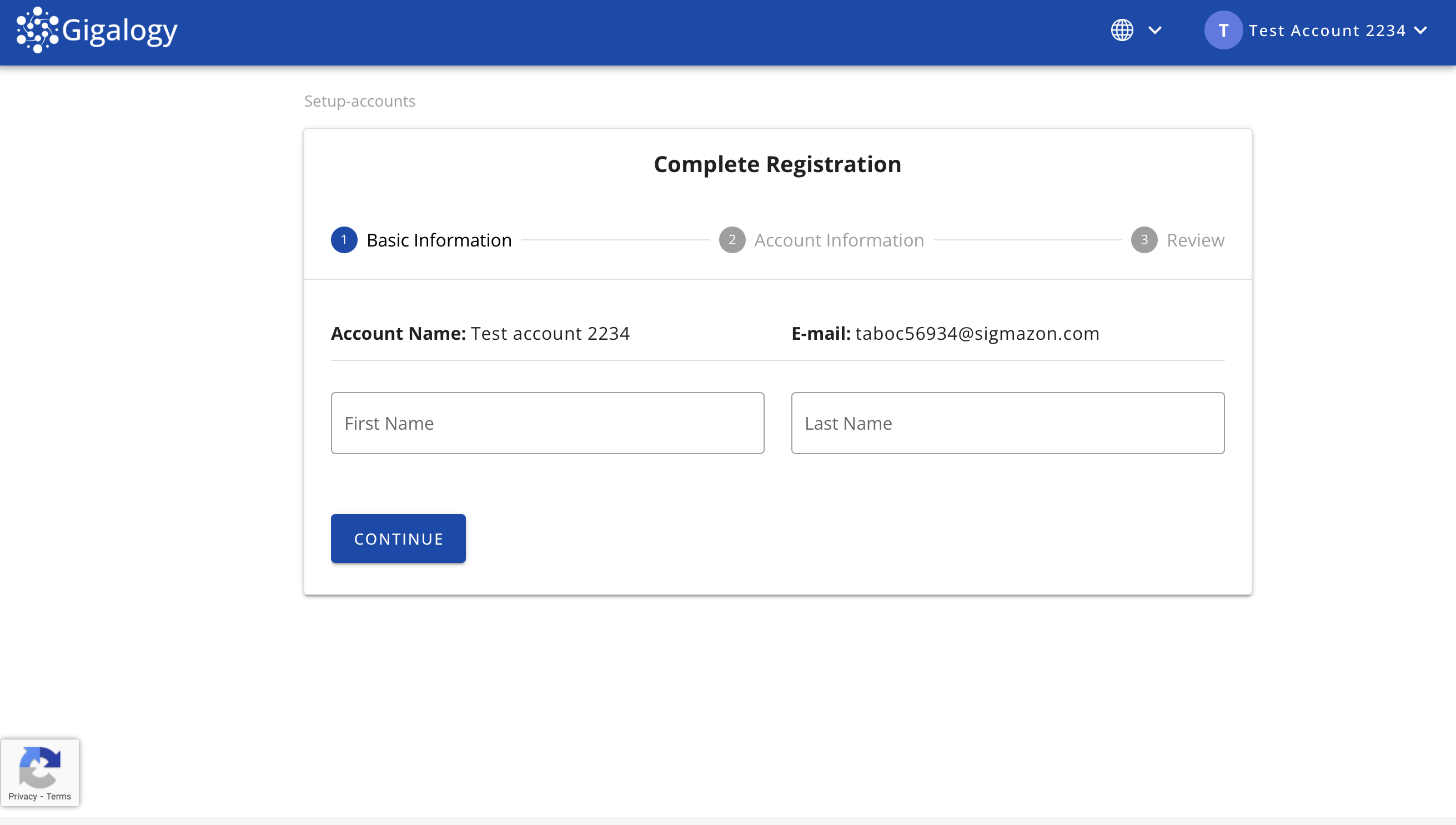
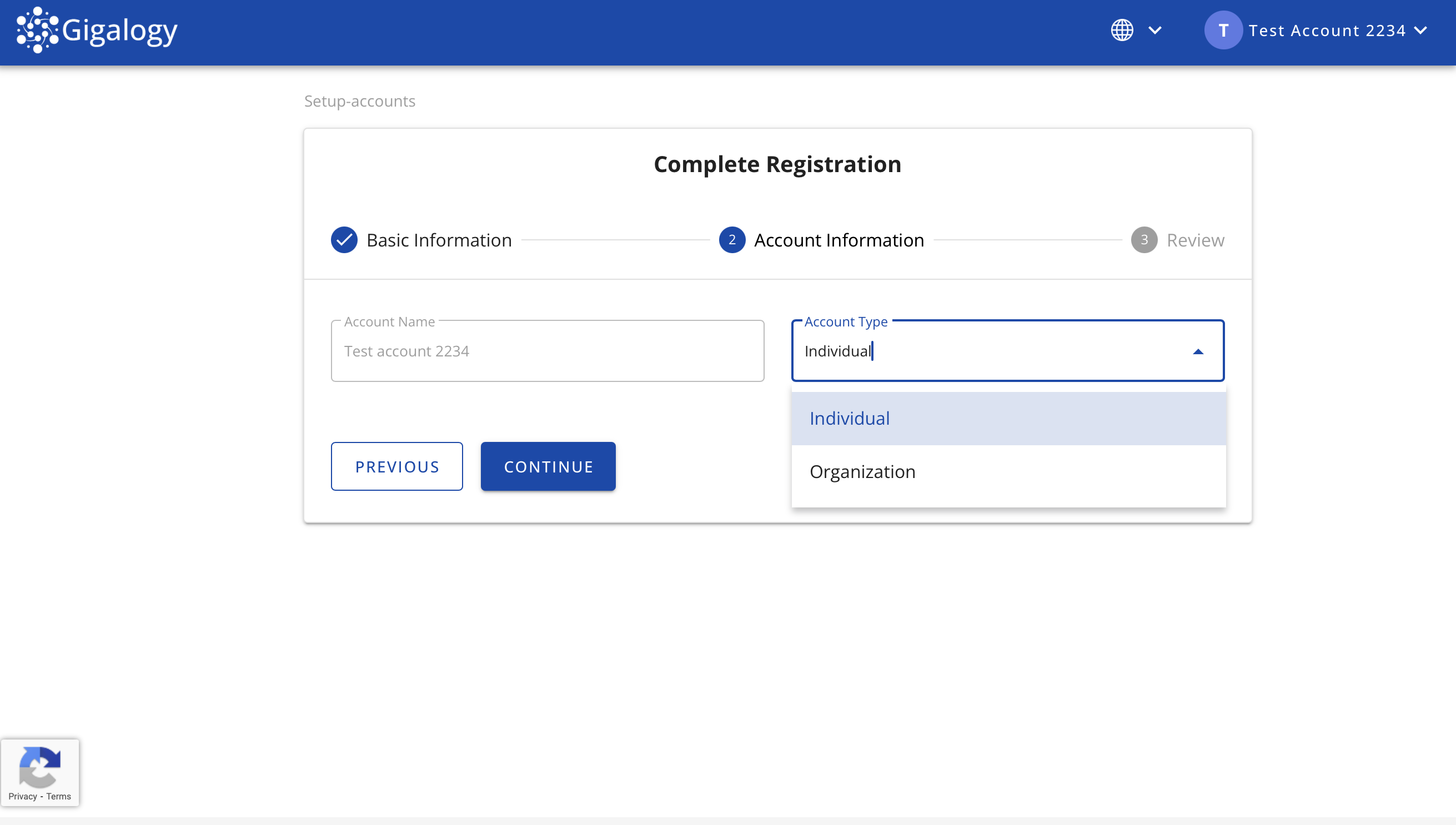
On the following page, you will be prompted to select either an Individual or Organization account type.
If you choose Individual, no additional information is necessary, and you can proceed to the next step.
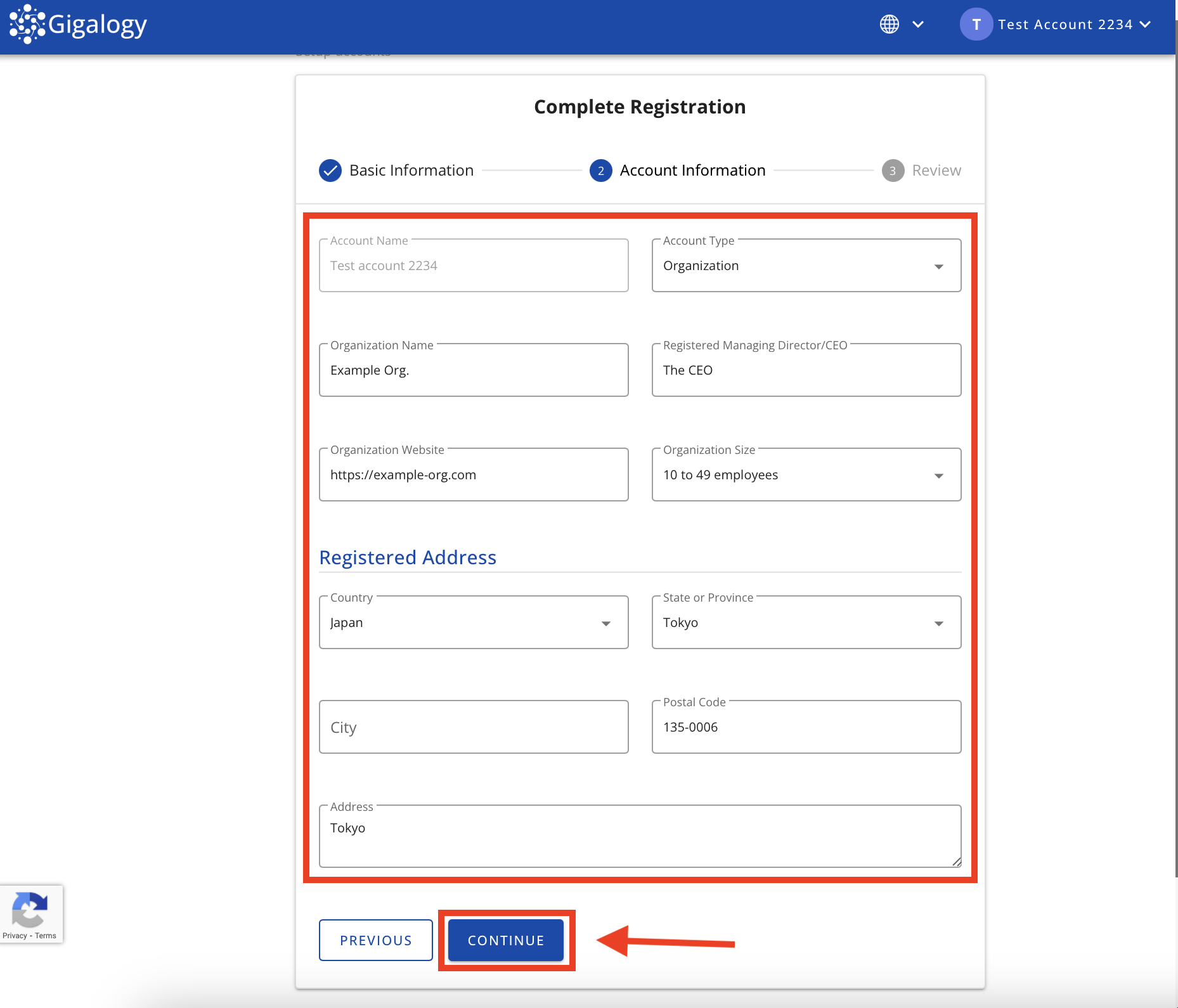
If you opt for Organization, you will be prompted to provide some basic details about your organization (Optional).
After filling in the information, click Continue.
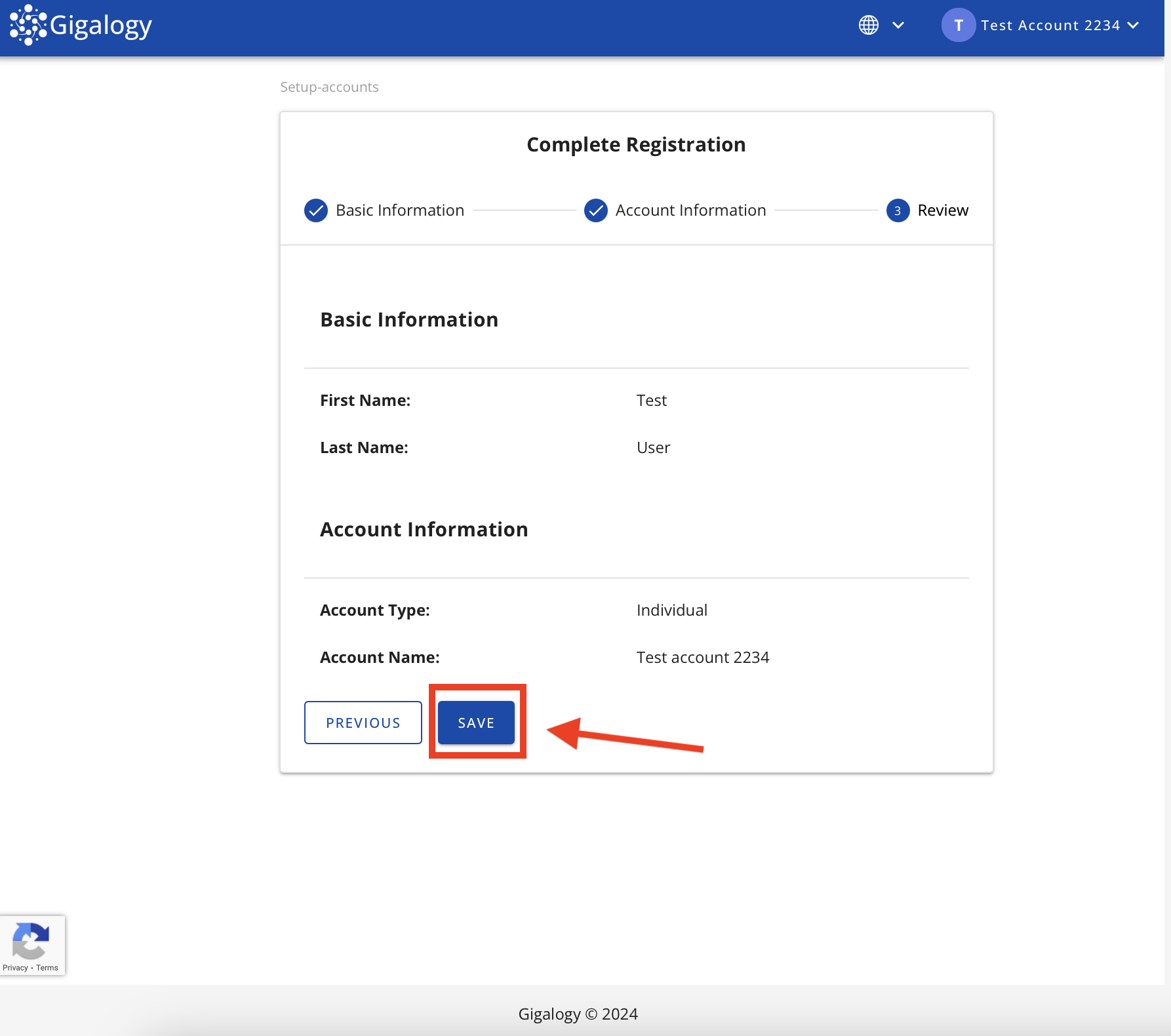
Finally, review all the information and click Save to finish the account registration.
Then you will be taken to the dashboard / homepage of your account in GAIP.